

The AI voice agent for WordPress
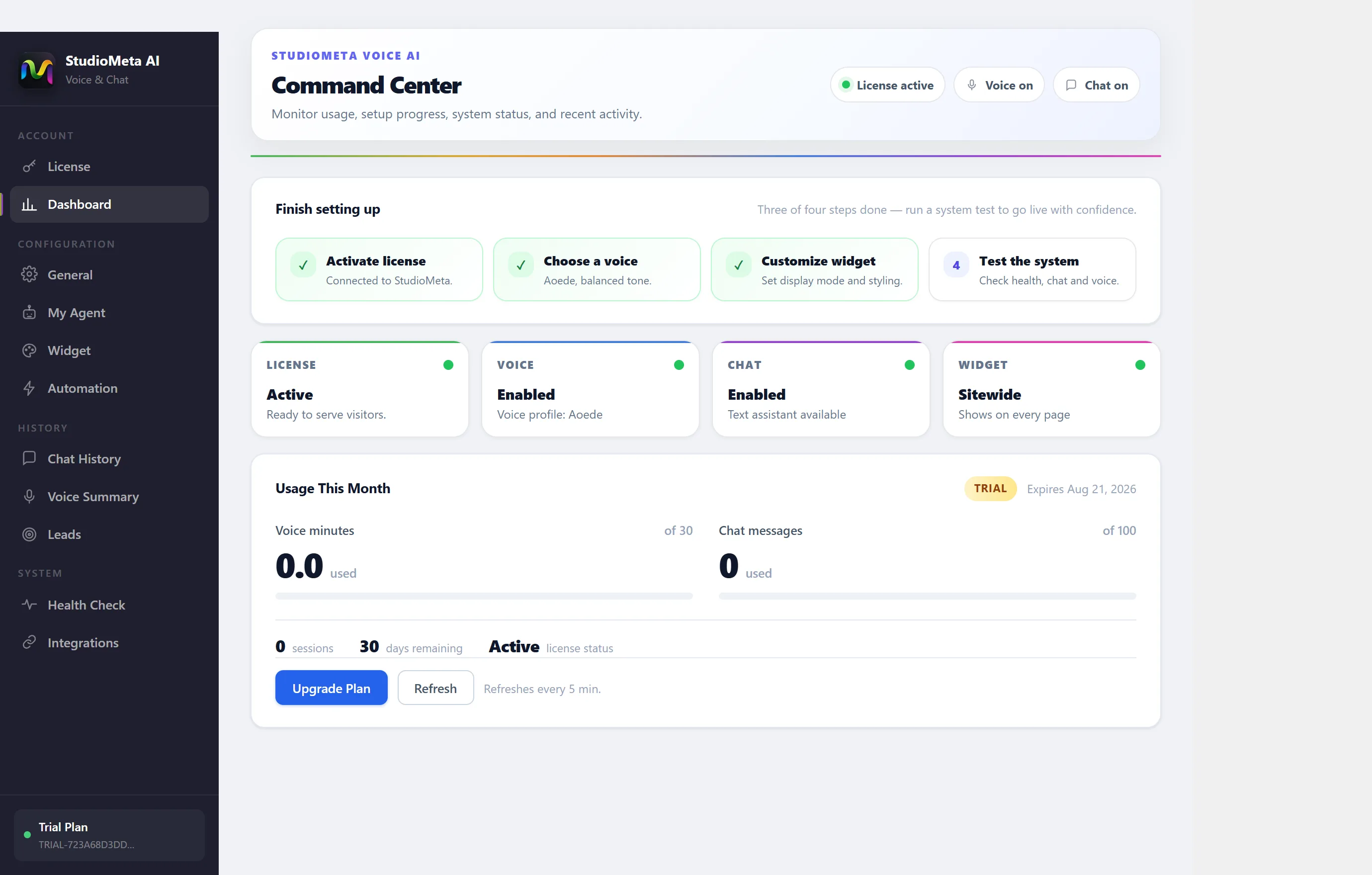
Install the plugin, connect your account, and StudioMeta talks and chats with visitors on your site around the clock — reading your content, booking appointments, and, on a WooCommerce store, answering real order status and product questions straight from your store data.
Inside the plugin
Everything one agent needs to run your front desk
One install brings the voice engine, the chat widget, and the automations that connect them to the rest of your business.
AI voice calls
Answers visitors with a natural voice right on your site, around the clock.
AI live chat
The same agent, in a chat widget — picks up context wherever the visitor left off.
WooCommerce Assistant
Looks up real order status and tracking, answers product questions from your catalog, and offers approved coupons — straight from your store data.
Phone calls (paid plans)
Connect your own Twilio number and the same agent answers real calls to it. You pay Twilio directly for minutes and the number — call time counts against your normal monthly voice minutes.
Appointment booking
The agent checks your working hours and books real slots on the spot — no calendar tool or webhook to configure.
Google Calendar sync
Connect your calendar in one click — no API key, no developer console. Busy times stay off what visitors are offered, and bookings appear on your calendar automatically.
Knowledge base
Point it at your site, docs or PDFs — answers come from what you actually publish.
Multilingual
Detects the visitor's language and replies in it — no separate setup per market.
StudioMeta AI Engine
Advanced reasoning and retrieval, kept current as the engine improves — nothing to tune.
Secure cloud
Calls, chats and knowledge base data are encrypted in transit and at rest.
Voice profiles
Choose from natural voice profiles with different tones to match your brand.
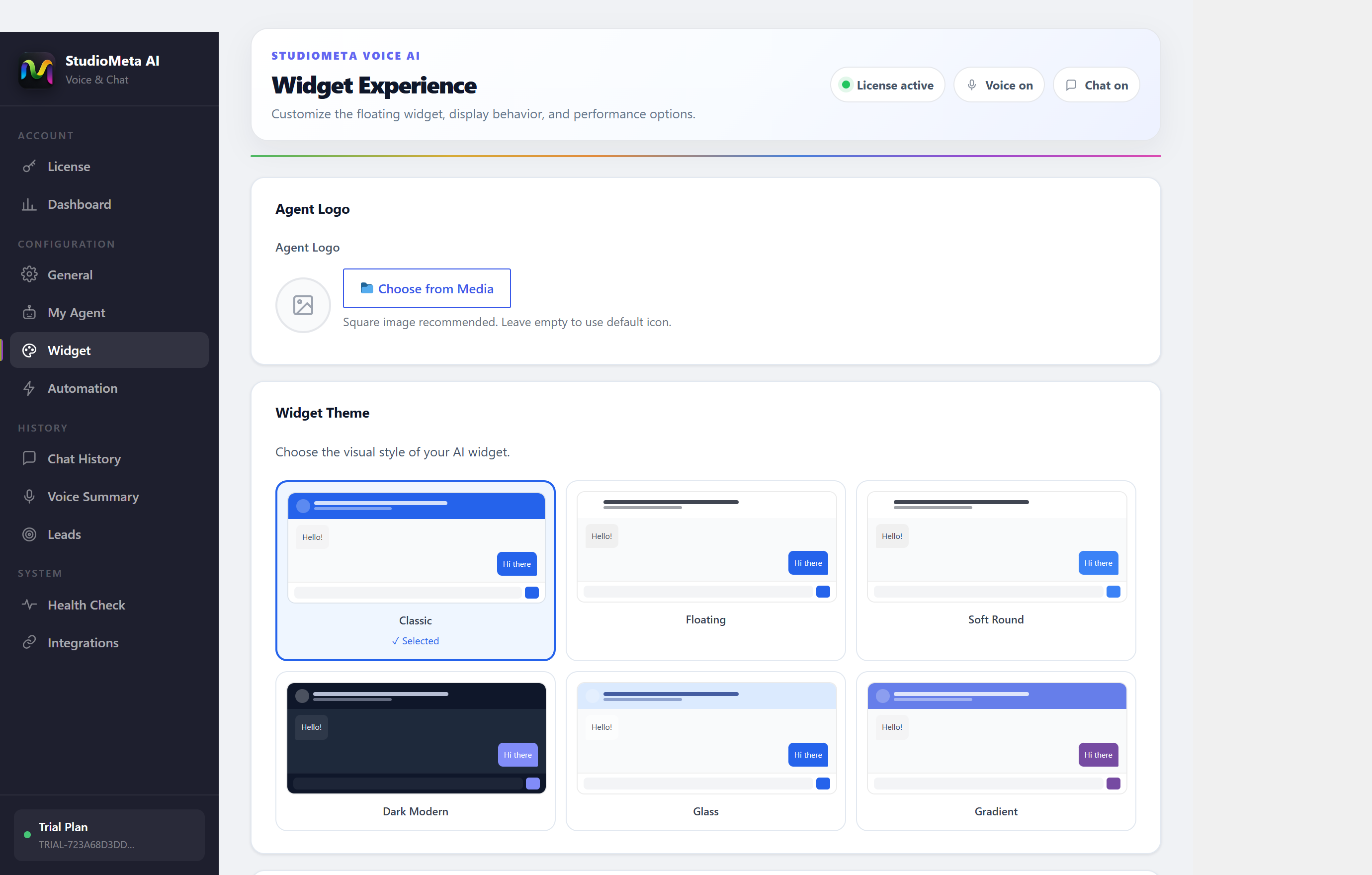
Widget themes
Six ready widget styles plus your brand color and position — no CSS required.
CRM integration
Every call and chat logs as a contact and a note, ready for follow-up.
n8n automation
Trigger workflows on any call outcome — no-code, connected to 400+ tools.
Analytics dashboard
Volume, resolution rate and drop-off, right inside wp-admin.
Setup
Live before your coffee gets cold
Install the plugin
Add StudioMeta from the WordPress plugin directory — no server config, no API keys to wire up by hand.
Connect your account
Sign in, point it at your content, and pick a voice. StudioMeta reads your pages to build its knowledge base.
AI answers your visitors
Voice and chat conversations on your site start routing to the agent immediately — 24 hours a day, in every language your visitors speak.
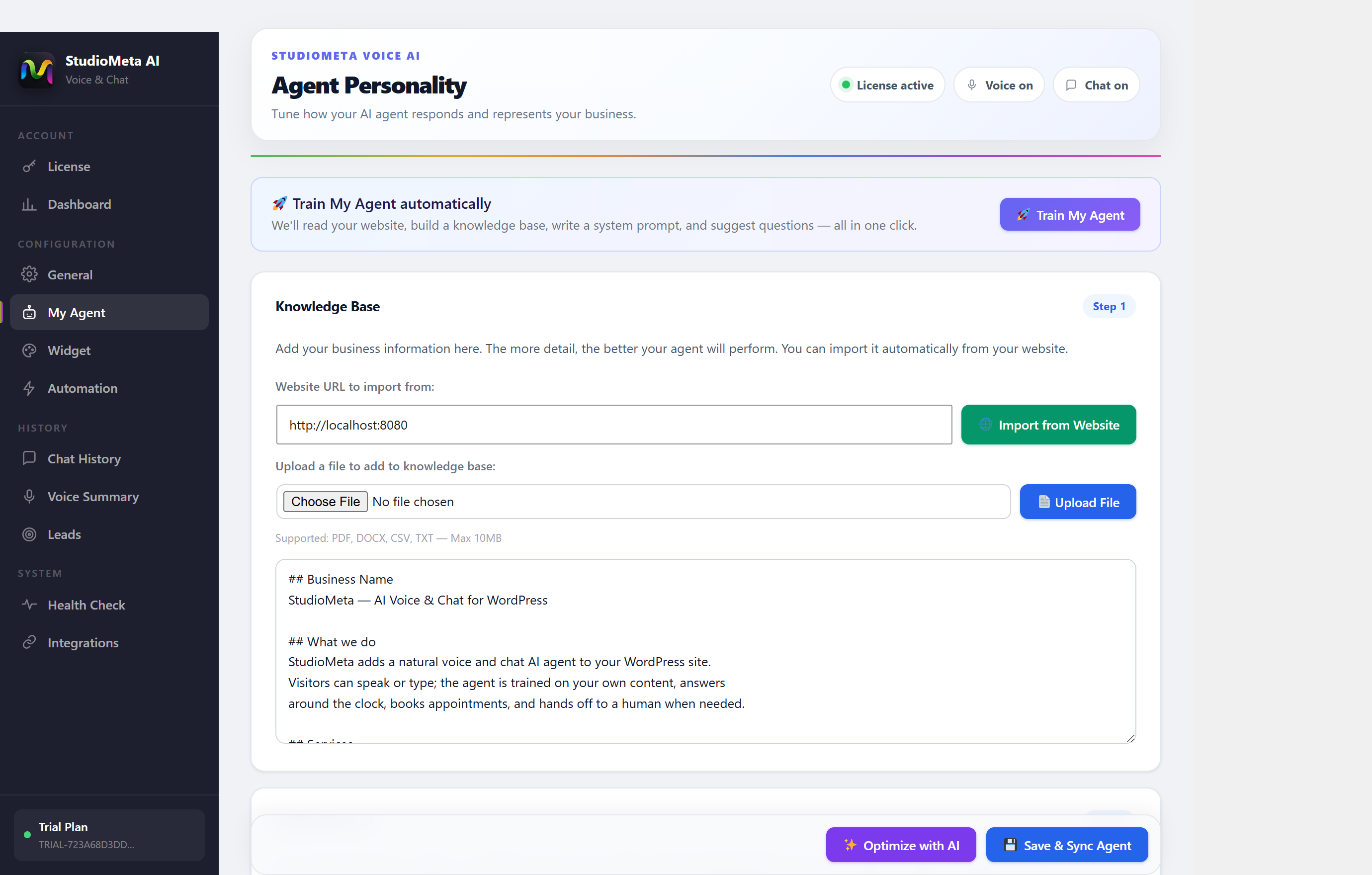
Inside wp-admin
Everything runs from one panel
Train the agent on your content, pick a voice, style the widget, and watch usage — all without leaving your WordPress dashboard. No API keys to manage.
Built for your front desk
Whoever calls you, StudioMeta already knows the answer
Compared
A voice agent, not another chat bubble
Pricing
Simple, usage-based pricing
Every plan is monthly and starts with a free trial — no per-site fees, just voice minutes and chat messages.
Chat only
- 2,000 chat messages / month
- Text chat widget
- Knowledge base & lead capture
- 5,000 chat messages / month
- Text chat widget
- Knowledge base & lead capture
- CRM integrations (HubSpot)
Voice + Chat
- 100 voice minutes / month
- 1,000 chat messages / month
- Real-time voice agent
- 300 voice minutes / month
- 2,500 chat messages / month
- Real-time voice agent
- CRM integrations + priority support
Best value bundles
- 100 voice minutes / month
- 2,000 chat messages / month
- Voice + chat, best of both
- 300 voice minutes / month
- 5,000 chat messages / month
- Real-time voice + full chat
- CRM integrations + priority support
Premium engine
- 300 voice minutes / month
- 5,000 chat messages / month
- Higher-quality voice engine — clearer in noisy rooms, more natural pacing
- CRM integrations + priority support
- 300 voice minutes / month
- 10,000 chat messages / month
- Our best voice engine — clearer in noisy rooms, most natural pacing
- CRM integrations + priority support
Need more than 300 voice minutes? Contact us.
All prices in USD, billed monthly, cancel any time. Need a higher-volume plan? Contact us.
From the field
People who used to miss the call
We stopped losing after-hours visitors who used to just close the tab. Bookings from the website widget are up almost 40% since we turned it on.
Installed it during lunch. By the time I checked back, it had already booked two showings and logged both leads in our CRM.
The knowledge base sync is the part that sold me — it answers from our actual menu and hours, not a script someone wrote once.
FAQ
Answers, before you ask twice
No. Install the plugin from the WordPress directory, sign in, and configure everything through settings screens — no API keys to paste in by hand.
From your own site content, plus any documents or pages you point it at. It won't invent policies or hours you haven't published.
Yes — set your working hours once and the agent offers real open slots during the call or chat, confirms by email with a calendar file and a cancellation link, and sends a reminder before the appointment. Connect Google Calendar for two-way sync, or run it on your working hours alone with no calendar connected at all.
It says so plainly and offers to take a message or hand off to a human, based on the rules you set — it never guesses.
On every page by default (sitewide), or only where you place the shortcode. Visitors talk or type to it right on your site — no phone number required to get started.
Yes, on paid plans. Connect your own Twilio account under Voice AI → Integrations and give the agent a phone number you own. You keep paying Twilio directly for call minutes and number rental — StudioMeta doesn't bill for that separately — and talk time counts against the same monthly voice minutes as the widget.
It detects the visitor's language automatically and responds in it, across dozens of languages, with no extra setup per market.
Yes. Once enabled, the agent can look up a visitor's real order status and tracking, answer questions from your product catalog, and offer any coupon you've approved — all from your store's own data, not a guess.
Every call and chat logs as a contact with notes automatically, and native integrations cover the most common CRMs.
Define a custom tool and connect it via webhooks to n8n, Make or Zapier — so a call or chat outcome can trigger any workflow across 400+ tools.
Calls, chats and knowledge base content are encrypted in transit and at rest, and you can delete any conversation on request.
Yes — every plan starts with a free trial, no card required until you decide to keep it running.
Your front desk, answered — starting today
Install StudioMeta, start a free trial, and let the agent take the next call while you get back to work.